Getting Started
Welcome
Thank you for choosing Lunetek Stockalyze.
What you need to run Stockalyze
Lunetek Stockalyze has been tested on Microsoft Windows 8, Windows 8.1, Windows 10, and Windows 11 operating systems.
Stockalyze is highly optimized and requires minimal system resources; any basic Windows desktop configuration is sufficient.
How to get Stockalyze
Stockalyze's Lite mode is free to use. Simply download
and install it.
Stockalyze's Pro mode requires a license, available at an affordable price. Purchase a license to unlock Pro mode features. No new
installation is required; simply register your copy to access advanced features.
How to install Stockalyze
Run the setup program and follow the wizard. It is really simple and fast to install Stockalyze and get it running. After you have downloaded Stockalyze from stockalyze.com you need to run the downloaded setup program. Depending upon which version of Windows operating system you are using you may get a dialog thrown by your operating system. On Windows 8 this dialog will look like:
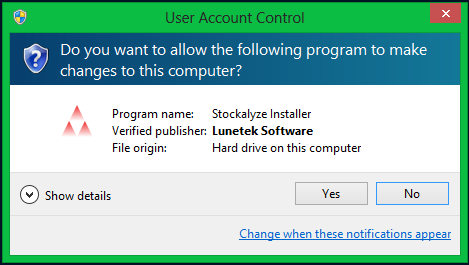
UAC dialog on Windows 8.
If you see this dialog, click Yes to allow the installer to run.
Below are screenshots of the subsequent installation dialogs:
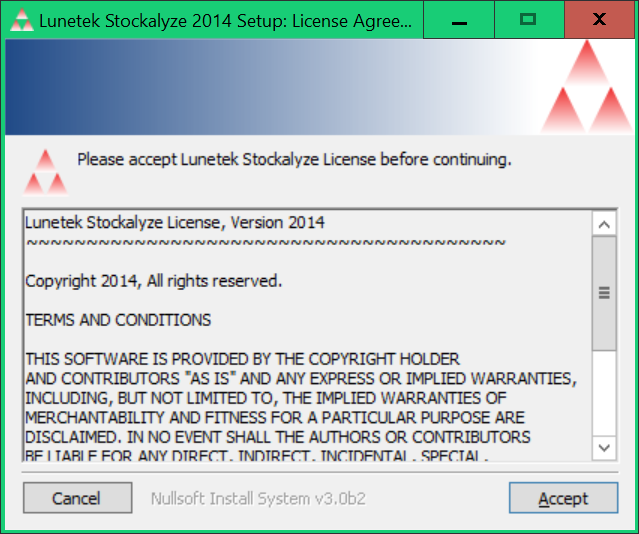
License agreement dialog.
Below is the complete text of the license agreement. Please read the license agreement carefully before accepting it.
After accepting the license, Stockalyze will be installed in a few seconds.
Running Stockalyze
Running Stockalyze requires only an internet connection, which is used to download historical market data. Downloaded data is cached locally, so subsequent requests for the same stock only download new data. For a complete overview of Stockalyze's capabilities, please refer to the Feature List.
 Stockalyze Help Manual